home / blog
File encryption done right
Most folks don't get it: you can encrypt anything with GPG, the gold standard pre-installed on every major OS and built by cypher-dinosaurs before you were even born. So stop trusting web-based scams for encrypting your files because you can't easily verify the browser's encryption code even if a website claims to host an official instance of an open source tool or promises e2e encryption of your emails.
Instead, let's teach you some GPG before you leak your dick pics.
We can encrypt files using soy GUI apps like Kleopatra (desktop) and PGPony (mobile), but since we are grown adults, let's do it the CLI way.
Encrypt with a password
Encrypt a file with a password:
gpg -c nothing-to-see.jpg
Send a result. She can decrypt with:
gpg nothing-to-see.jpg.gpg
Done. No external services. You can close this article.
Now, if you really wanna feel like a hacker, then here are a few more tips for you.
Mobile
Android: get a non-root terminal emulator like Termux via F-Droid/Obtanium.
iSlave: get Android, then see above.
# install gpg
pkg install gnupg
Your primary file manager app should auto-detect a default folder of the terminal emulator, so you should be able to copy and move files with GUI, and execute the same commands to encrypt/decrypt files like gpg -c.
If your file manager is too dumb to find a terminal folder, then try another one.
Encrypt with a pubkey
If your recipient is a paranoid nerd or just a regular darknet junkie, then he probably has a PGP key, which you can use to encrypt a file. By the way, GPG and PGP are usually used interchangeably, but don't ask me why.
# Download and add PGP to your keyring
curl https://dark.vegas/darkvegas.asc | gpg --import

# Or just import a pubkey file if you already have it
gpg --import darkvegas.asc

# Check recipient's key
gpg --list-keys darkvegas
gpg --list-keys | grep dark

# Encrypt msg.txt using recipient's pubkey
gpg -e -a --recipient fuck@slave.tech -o encrypted_msg.txt msg.txt
Your totally normal bestie from the internet can decrypt a file with:
gpg --decrypt encrypted_msg.txt
Bundle multiple files
If you need to send many files, then compress them into a single archive with tar or zip before encryption.
# bundle multiple files with tar
tar -czvf happy-valentines.tar.gz 50-cent-in-da-club.mp3 50-cent-candy-shop.mp3

# or archive a full folder with zip (add -e for password encryption)
zip -r -e music-for-babe.zip music_folder/
Hide text in images
Finally, if you really want to impress your totally normal crush, then you can hide your message in an image. It's called steganography. Remember how Mr. Robot was hiding data in music CDs? Yeah, that was steganography.
Firstly, install steghide, then:
# embed emb.txt in cvr.jpg using a password
steghide embed -cf cvr.jpg -ef emb.txt
Your crush can then extract a message with:
steghide extract -sf stg.jpg
Keep in mind that an embedded file should be much smaller than the cover image, so steghide is mostly used for embedding short text messages. In other words, don't try to embed a huge dick pic into a tiny cover image.
Triple protection
And for fully paranoid tinfoils, you can encrypt your file with zip, then gpg, and finally embed it into a cover image, but good luck finding friends then.
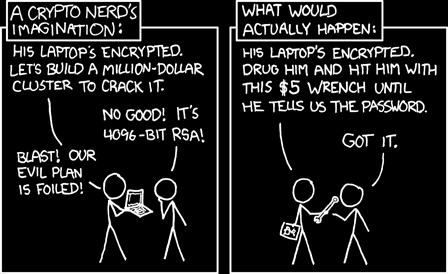
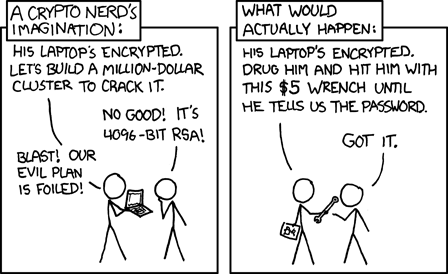
And don't forget about a $5 wrench, bro.
Forum: